Key Takeaways
-
01
An ELD plugs into a truck's engine and records driving time and hours of service automatically.
-
02
Drivers keeping duty status logs more than 8 days in any 30 must use an ELD.
-
03
Short-haul drivers, pre-2000 engines and driveaway-towaway runs are the main ELD mandate exemptions.
-
04
FMCSA dropped the in-cab ELD manual rule in 2026 and keeps revoking noncompliant devices.
-
05
An ELD logs truck location within about a mile and never tracks a dropped trailer.
An ELD, or electronic logging device, is a hardware device that connects to a commercial vehicle's engine and automatically records driving time, engine hours, miles driven and location for hours of service compliance. The FMCSA ELD mandate requires most commercial drivers who keep records of duty status to use a registered ELD instead of paper logs.
Simple on paper. The trouble starts when a fleet owner asks me if the ELD doubles as a GPS tracker.
I've spent 15+ years around work trucks, rental fleets and GPS trackers, and the ELD rules still trip up smart people. This guide gives you how an ELD works, who needs one, which exemptions hold up and what the fines look like. You'll also get the 2026 rule changes most guides still haven't caught.
First up, what those three letters actually mean.
DISCLOSURE: SpaceHawk GPS is our brand. As an Amazon Associate, SpaceHawk GPS earns from qualifying purchases.
ELD (The Electronic Logging Device)
ELD stands for electronic logging device, the FMCSA-registered system that replaced the paper logbook in most commercial trucks and buses. Think of an ELD as a logbook that records driving hours by itself, minus the coffee stains.

Most ELD setups I run across on customer trucks come in three pieces. A small hardware device plugs into the vehicle's engine port, an ELD mobile app or in-cab screen shows the driver their hours, and fleet management software lets the office check driver logs from a desk.
One detail surprises almost every owner I talk to. The ELD manufacturer self-certifies the device, and FMCSA keeps the list without testing every unit first.
The jump from paper to electronic logging looks like this side by side.
Paper Logs and AOBRDs
- Drivers filled in every line by hand
- Easy to fudge, easy to lose, easy to misread
- AOBRDs lost their grandfather pass on December 16, 2019
ELD
- Driving time records itself straight from the engine
- Every edit leaves a written note and trail
- Logs go right to the inspector's screen
Paper logs haven't vanished completely, and some drivers still use them legally under the exemptions I cover further down. For everyone else, the real question becomes how this little box actually does its job.
How an ELD Device Works
An ELD device works in three steps. The device connects to the engine, automatically records driving activity and then hands over certified logs. I'll walk you through each step below.

-
1
Connect to the Engine
The ELD plugs into the vehicle's diagnostic port, usually a 9-pin or 6-pin connector on heavy trucks and OBD-II on lighter ones. The ELD integrates with the engine computer and gets 1 minute to wake up after the engine gets power.
-
2
Record Driving Automatically
The ELD flips the driver to Driving on its own once the truck passes 5 mph. Every other status stays on the driver, who taps the change in the ELD mobile app.
-
3
Transfer and Certify the ELD Log
Drivers certify each 24-hour log, and any edit needs a written note explaining why. Logs reach a roadside officer through web services or email, or through a local USB or Bluetooth connection.
I've watched plenty of truck drivers sweat their first inspection with a new ELD, and the transfer step is usually where they freeze up. Practice that handoff once in the yard, long before an officer asks for it. Most systems also push your logs to a secure server over a wireless connection all day, so the office sees the same hours you do.
Knowing the steps leads to the next fair question. What exactly does the box write down?
What an ELD Record Includes
Every ELD record carries the same core data, because FMCSA spells the list out in the ELD technical specifications. No guesswork from one brand to the next.

These are the data points each record logs:
| Data point | What it means |
|---|---|
| Date and time | Every event gets a timestamp synced to UTC |
| Location | Coordinates plus the rough distance to the nearest town |
| Engine hours | Total hours the engine has run |
| Vehicle miles | Miles read straight from the engine |
| Engine power status | Ignition on or off, nothing about horsepower |
| Vehicle motion | Whether the truck is rolling or parked |
| Driver identification | The driver, the motor carrier and the truck |
| Duty status | Where the driver sits on the clock right now |
The engine power status line confuses plenty of people. I've seen guides describe the field as horsepower, and nope, the ELD simply logs ignition status flipping on or off.
Duty status logs come in four flavors, Off Duty, Sleeper Berth, Driving and On Duty Not Driving. Two special categories, personal conveyance and yard moves, cover off-the-clock trips in the truck and shuffling it around the lot without burning driving hours. Inspectors read every bit of HOS data against the driver's duty status, so one wrong status throws off the whole day.
All that driver data exists for one reason, and that reason has a name.
The ELD Mandate and Final Rule
The ELD mandate is the FMCSA rule requiring most commercial drivers who keep records of duty status to log their hours on a registered ELD. Congress ordered electronic logging devices in 2012 through the MAP-21 highway bill, and FMCSA spent the next three years writing the ELD final rule.

The goal was pretty simple. Make logs harder to fudge, reduce driver fatigue and improve road safety for everybody sharing the highway with an 80,000-pound rig.
The rollout came in stages, and the dates still confuse people across the trucking industry.
| Date | What happened |
|---|---|
| July 6, 2012 | MAP-21 becomes law and orders an ELD rule |
| December 16, 2015 | ELD final rule published in the Federal Register |
| December 18, 2017 | First compliance date, ELD or grandfathered AOBRD |
| December 16, 2019 | Full compliance, AOBRDs retired for good |
| July 22, 2026 | In-cab ELD manual requirement rescinded |
I still see guides list December 10, 2015 as the rule date. FMCSA announced the rule that day, and the official publication followed six days later.
ELD Mandate vs Hours of Service
The ELD mandate changed how drivers record their hours, not how many hours they can work. FMCSA says so plainly, and the ELD rule left every basic hours of service (HOS) limit and exception untouched.
Your ELD tracks these hours of service regulations against the clock, from driving limits to required rest periods.
| Rule | Truck drivers (property) | Bus drivers (passenger) |
|---|---|---|
| Driving limit | 11 hours after 10 off duty | 10 hours after 8 off duty |
| Duty window | No driving past the 14th hour on duty | No driving after 15 hours on duty |
| Break | 30 minutes after 8 hours of driving | No federal break rule |
| Weekly limit | 60 or 70 hours in 7 or 8 days | 60 or 70 hours in 7 or 8 days |
| Restart | 34 hours off resets the week | No restart provision |
Drivers tell me the ELD feels like a backseat driver who never sleeps. Fair, but the clock it watches is the same 11 and 14 hours your paper log tracked for years.
Next up is whether your truck falls under the rule at all.
Who Needs an ELD Under FMCSA Rules
You need an ELD if you drive a commercial motor vehicle in interstate commerce and keep records of duty status more than 8 days in any 30-day period. Owner-operators, commercial motor vehicle drivers at big fleets and everyone in between follow the exact same ELD requirements.

FMCSA regulations put your vehicle among commercial motor vehicles once it hits any one of these four marks.
- Weighs 10,001 pounds or more, GVWR or GCWR
- Carries 9 or more passengers for pay, driver included
- Carries 16 or more passengers, not for pay
- Hauls hazardous materials that need placards
The weight line catches owners off guard. I hear people say they're safe because none of their drivers need a CDL, yet the ELD rule follows the 10,001-pound CMV line, not the 26,001-pound CDL line. An Isuzu NPR box truck carries a GVWR above 10,001 pounds before you load a single box.
Most commercial vehicles hit one of those marks, so the rule applies unless an exemption gets you off the hook.
ELD Mandate Exemptions
The main ELD mandate exemptions cover short-haul drivers, drivers who log 8 or fewer days in 30, pre-2000 engines, driveaway-towaway runs and agricultural hauls. Each one comes with strings attached, so open the box that sounds like your operation.

Short-Haul Exception
Short-haul drivers skip the ELD and track hours on a timecard when they meet all three of these conditions.
- Stay within 150 air miles of your work reporting location
- Head back to that same location at the end of each shift
- Get released from duty within 14 hours of coming on duty
That fits plenty of local outfits, like a plumbing company whose box trucks never leave the county. Blow past those limits more than 8 days in any 30, though, and the ELD comes right back.
8 Days in 30 Rule
Drivers who keep records of duty status 8 or fewer days in any rolling 30-day period can stay on paper logs. Day 9 changes everything, and the ELD requirement starts that day, not at the start of next month.
Pre-2000 Engines
Trucks with engines built before model year 2000 don't need an ELD, since older engines often lack the electronics an ELD connects to. FMCSA goes by the engine's model year, not the truck's, so a glider with a rebuilt 1999 engine can still qualify.
Keep the engine paperwork in the cab. Trust me, an inspector will ask.
Driveaway-Towaway
Driveaway-towaway drivers are exempt when the vehicle they drive is the delivery itself, like a new truck headed from the factory to a dealer lot. Towing a motorhome or RV trailer to its buyer counts too.
Agricultural Commodities
Drivers hauling agricultural commodities within 150 air miles of the source skip hours of service limits during planting and harvest seasons, so they skip the ELD too.
Each state sets its own seasons, and some run them year-round. Cross the 150-mile line, and the full rules kick in from that mile on.
One warning before you celebrate. Most of these exemptions change how you handle HOS tracking, not whether the hours of service limits apply, and the ag exemption is the rare exception. Check FMCSA's ELD exemptions page or call the FMCSA ELD line at 800-832-5660 if you're unsure, long before an inspector settles the question for you.
The daily ELD compliance duties below apply to everyone else.
ELD Compliance Duties and Fines
ELD compliance is a shared job, with the carrier supplying a registered device and the driver using that device correctly every single day. I've watched good drivers get dinged for paperwork slips, not bad driving, and these six duties keep that from happening to you.

-
1
Registered device: Check your ELD provider against the FMCSA registered ELD list before you renew.
-
2
Daily certification: Drivers review and certify every 24-hour log, adding a note to any edit.
-
3
Unidentified driving: Drivers claim or reject any driving the ELD recorded while nobody was logged in.
-
4
Malfunctions: Drivers report within 24 hours, and carriers must repair the ELD within 8 days.
-
5
In-cab packet: Keep the data transfer sheet, malfunction sheet and 8 days of blank logs.
-
6
Record retention: Carriers keep ELD records and supporting documents for at least 6 months.
Federal regulations also bar carriers from using ELD data to harass drivers into breaking HOS regulations. A compliant ELD helps, yet skipped duties still cost real money.
Those fines land on the carrier, and a roadside officer can still put the driver out of service over missing driver logs. This year added two new ways to end up there.
2026 ELD Rule Changes
Four ELD rule changes landed or moved forward in 2026, and two of them can park a truck at roadside. The cards below cover each one, because a few of these slipped right past drivers I talk to.

In-Cab Manual Rescinded
FMCSA dropped the printed ELD manual requirement on July 22, 2026, and drivers still have to know the device well enough to send logs at roadside.
ELD Provider Revocations
FMCSA pulled 4 devices from the registered list on January 13, 14 on March 4 and 12 on May 20. Each batch gave carriers 60 days to swap. After the deadline, a revoked ELD counts as no record of duty status, and the driver goes out of service.
Tampering Out-of-Service Rule
CVSA's 2026 out-of-service criteria, live since April 1, added an ELD tampering condition. A driver whose altered ELD hides the last rest period now sits out of service for 10 hours.
ELD Revisions Rule Pending
FMCSA has a broader ELD rewrite on its regulatory agenda, covering pre-2000 engines, malfunctions, device removal and technical specifications. FMCSA hasn't published a proposed rule yet, so nothing changes today. I'll update this guide the day one drops.
I keep seeing posts claiming a brand-new 2026 ELD mandate with fresh encryption specs and deadlines. Ignore them. The real 2026 changes are the four above, and your best move is simple, look up your ELD on the FMCSA registered list today.
Rules aside, a good ELD earns its keep in other ways too.
How an ELD Helps Fleet Managers
An ELD system saves fleet managers paperwork and roadside time, and the better ELD solutions add real-time data the rule never asked for. Picking the tracking side of that setup is its own decision, and my full guide to GPS tracking for fleet management walks through the features, the costs and the legal side. Most fleet operators I work with end up liking the extras more than the log, and these five benefits show up first.

- Tamper-resistant records with a full edit trail make roadside inspections and audits move much faster.
- Automated tracking of driver hours cuts office paperwork and the math errors paper logs always invite.
- Many ELD systems log miles by state, which takes the pain out of IFTA filing.
- Timestamped driving records give you solid evidence when a customer disputes a late delivery.
- Most ELD systems feed fleet management software that can generate reports on driver activity and safety.
You'll hear some ELD solutions pitched as tamper proof records. Tamper-resistant is the honest term, since drivers can still edit a log and the ELD simply shows who changed what. Live monitoring of driver safety and location comes from the telematics side of the ELD system, not from the rule itself.
That location data comes with a catch.
ELD vs GPS Tracker: What an ELD Won't Track
An ELD is not a GPS tracker. FMCSA only requires an ELD to log location within about a 1-mile radius, widened to about 10 miles during personal conveyance, and mostly at status changes or once an hour while driving.
Fine for a logbook. Useless when you need to find your stuff.

The bigger gap is what the ELD rides on. The device lives on the tractor's engine, so the moment your driver drops a trailer at a customer's yard or leaves a generator on a jobsite, the ELD has no idea those assets exist. I've seen owners assume their ELD would help find a stolen trailer, and that is a rough day to learn otherwise.
A dedicated GPS tracker fills that gap, reporting location within feet instead of miles, as I explain in my guide on how accurate GPS trackers really are.
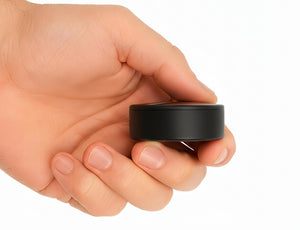
I use the SpaceHawk Mini GPS Tracker on trailers and equipment around Murrieta and Temecula, and to be clear, SpaceHawk does not replace an ELD.
 |
|
||||||||||
 Buy on Amazon
Two devices, two different jobs. The short version comes next.
Final Word on ELD Solutions
An ELD keeps your hours of service legal, and that is about where its job ends. Pick a registered ELD provider, learn the exemptions that fit your operation, and recheck FMCSA's list whenever a new revocation hits.
For the trailers, tools and jobsite gear sitting outside that system, my full guide to GPS asset tracking walks through how to protect them and get them back.
Everything in one quick pass before you go.
- Commercial drivers need an ELD after 8 days of logs in any 30.
- Short-haul, pre-2000 engine and driveaway-towaway runs are the big exemptions.
- Check your device against the FMCSA registered list before every renewal.
- Put a GPS tracker on the trailers and equipment your ELD can't see.
Your ELD is the strict accountant riding shotgun, and a GPS tracker is the buddy who always knows where your trailer went. Run both, and you'll sleep a lot better.
Your ELD covers the hours. SpaceHawk covers the asset.
A magnetic, waterproof GPS tracker for trailers, generators and the jobsite gear your ELD never sees.
DISCLOSURE: SpaceHawk GPS is our brand. As an Amazon Associate, SpaceHawk GPS earns from qualifying purchases.