5 Key Takeaways
-
01
Tile Pro works best for finding keys, wallets, bags, and other personal belongings.
-
02
GPS trackers work better for vehicles, equipment, and moving assets requiring remote location updates.
-
03
Tile relies on Bluetooth and network finding while GPS uses cellular connectivity.
-
04
GPS tracking offers stronger location history, alerts, geofencing, and vehicle monitoring features.
-
05
Choose Tile for simplicity, or GPS tracking when remote monitoring is required more.
Affiliate Disclosure. As an Amazon Associate, SpaceHawk GPS earns from qualifying purchases. SpaceHawk is my own product, and I say so out loud in that section.
Tile Tracker vs GPS Tracker: Which Technology Is Right for You?
Trying to decide between a Life360 Tile Pro and a GPS tracker? The right choice gets much easier once you ask one question, what exactly do you want to track?
I've spent more than 15 years working around GPS tracking and I've seen plenty of people buy the wrong type of tracker simply because the two sound similar. But they aren't. In this guide, I'll walk you through the Life360 Tile Pro vs a GPS tracker, differences including Bluetooth range, location updates, battery life, location history, alerts, installation, cost, theft recovery, and vehicle tracking. I'll also show you when I'd choose Tile Pro and when I'd recommend a dedicated GPS tracker instead.
By the end, you should know which one fits your situation without having to become a tracking technology expert first.
When Bluetooth Is Not Enough
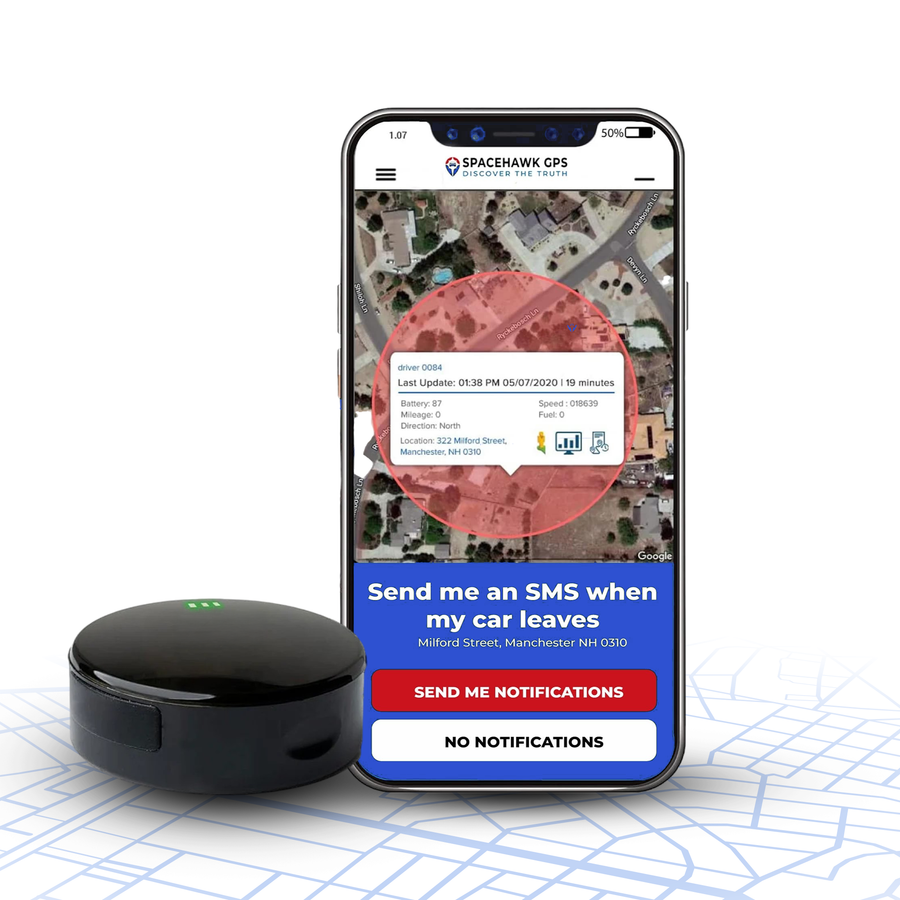
Tile Finds Your Keys. SpaceHawk Tracks Your Car.
A Bluetooth tag waits for another phone to walk past. SpaceHawk reports its own location every 3 seconds over 4G LTE, so you can follow a vehicle across town instead of guessing where it went. Snaps under any car with a built-in magnet. Works with iPhone and Android.
A Quick Answer
Life360 Tile Pro is better for finding personal items with Bluetooth and the Tile Network. A GPS tracker is better for remote, regular location updates on vehicles and moving assets using GPS and cellular service.
Use Tile when you want to find things like keys or wallets and use GPS tracking when you need to monitor where things go such as cars, trucks, or equipment.
What Is Life360 Tile Pro and How Does It Work?

Life360 Tile Pro is a Bluetooth tracker designed to help you find everyday items such as car keys, wallets, bags, and luggage. Tile Pro connects with your phone through the Tile app and can use the Tile Network when your phone isn't nearby.
Life360's listed Tile Pro specifications show up to 500 feet of Bluetooth range, a one-year replaceable battery, SOS feature and IP67 water resistance for the Pro model listed in its support documentation. Actual range can drop because of walls, floors, vehicles, trees, and other interference.
How Tile Pro Works with bluetooth range and tile network
-
1
Tile Pro connects to your phone when Bluetooth detects the Tile within range.
-
2
The Tile app records its location when your phone connects with the Tile device.
-
3
You can press the tile button to make the tracker ring when you're nearby.
-
4
If your phone isn't nearby, the Tile Network may detect the tracker and send another location update.
Life360 says Tile Pro doesn't contain GPS or provide continuous real-time tracking. Current Tile Pro specifications also list up to 500 feet of Bluetooth range, depending on conditions.
What Is a Real-Time GPS Tracker and How Does GPS Tracking Work?

A real-time GPS tracker uses GPS satellites to determine its location and a cellular network to send live location updates to your tracking app.
Unlike Bluetooth trackers such as Life360 Tile, it works over long distances, making it ideal for tracking vehicles, trailers, equipment, and other moving assets. Many GPS trackers also include location history, geofence alerts, speed alerts, trip reports, and real-time movement notifications for continuous monitoring.
How a GPS Tracker Works
-
1
GPS satellites provide signals that help the tracker calculate its current position.
-
2
The device sends that location data through cellular service to your tracking platform.
-
3
You view the tracker's location through a phone app or web dashboard.
Depending on the device, you can set alerts, save location history, and create geofences. You can also adjust update intervals on some trackers to balance detail and battery life. Also your phone doesn't need to stay near a GPS tracker. When the tracker has suitable GPS reception and cellular coverage, it can continue reporting its location while your vehicle or asset moves.
Side-by-Side Comparison | Life360 Tile vs GPS Tracker for Must Have Features

Tile Pro and a GPS tracker can both help you locate something, but they work in very different ways. This quick comparison shows where each one fits, from Bluetooth range and location history to alerts, battery, cost, and vehicle tracking.
| Tracker | Best For | Technology | Range | Location Updates | Location History | Alerts | Battery | Installation | App Experience | Vehicle Tracking | Typical Cost |
|---|---|---|---|---|---|---|---|---|---|---|---|
| Life360 Tile Pro | Keys, wallets, bags, luggage, and personal items | Bluetooth + Tile Network | Up to 500 feet Bluetooth range, plus network finding | Bluetooth or Tile Network dependent | Supported Tile features and plans | Smart Alerts and item-finding features | About 1 year for current Tile Pro | Attach to the item | Tile app + Life360 app | Limited | Generally more affordable |
| GPS Tracker | Cars, trucks, trailers, equipment, and moving assets | GPS + cellular | Cellular coverage rather than Bluetooth range | Device and plan dependent | Common feature | Movement, speed, and geofence alerts on many devices | Depends on device and update rate | Mount, plug in, or wire depending on device | Tracker-specific app or platform | Designed for it | Usually higher with service costs |
The quick comparison tells you where each tracker fits. Now I'll break down the important differences one by one, starting with Bluetooth range versus GPS tracking coverage.
How Far Can Tile Pro Track vs a GPS Tracker?
Tile Pro uses Bluetooth for nearby finding, while a GPS tracker uses GPS and cellular service for remote tracking. Tile can track items up to 350 feet away and current Tile Pro models list up to 500 feet of Bluetooth range, although walls, vehicles, and other interference can reduce that range.

When Tile moves beyond your phone's range, the Tile Network may provide a later location update through another participating device. A GPS tracker can report its location much farther away when GPS and cellular coverage are available.
From my experience, Tile Pro's Bluetooth range works well for the job it was built for. If you're trying to find personal belongings that short-range connection is usually enough. But if you're tracking a car, truck, trailer, or equipment across town, I wouldn't rely on Bluetooth. For this a GPS tracker has the clear advantage.
Which Updates Faster, Tile Pro or a GPS Tracker?
A GPS tracker generally updates location more consistently than a Tile Pro because it can send location data through cellular service at a selected interval. Tile Pro depends on Bluetooth connections and the Tile Network, so its updates don't work like continuous GPS tracking.

When I compare the two in real-world use, the update difference works most when you think about what you're actually tracking.
Tile Pro
Great for lost keys, wallets, bags, and other personal stuff. You usually don't need a constant stream of location data just to find something nearby.
GPS tracker
Better for watching a car, truck, trailer, or equipment. Depending on the device and plan, faster updates give you more precise location data, while slower updates can help preserve battery life.
My pick is simple. I'd choose Tile for finding things and GPS for following movement.
Which Has Better Battery Life in Tile Pro vs GPS Tracker?
Tile Pro generally offers longer, simpler battery life because it doesn't continuously run GPS and cellular tracking. Current Tile Pro specifications list about one year of battery life with a replaceable battery, while GPS tracker battery life varies with the device, update speed, and usage.

For everyday items, I'd take the Tile Pro's longer battery life without hesitation. But if you're tracking a vehicle, the tradeoff is different. A GPS tracker uses more power because it regularly determines and sends location data, but that extra power gives you the location tracking features Tile isn't built to provide.
My pick: Tile Pro for keys, wallets, and bags where low maintenance is needed and GPS for vehicles and assets where regular tracking is more important than battery life.
Which Has Better Features for Vehicle Tracking?

A GPS tracker can give you features such as real-time tracking, movement alerts, speed alerts, geofencing, trip information, and location history, depending on the device and plan. A dedicated GPS tracker is the better choice for vehicle tracking because it can provide location data, location history, and vehicle-focused alerts.
Tile Pro can help you locate a vehicle in some situations, but it isn't designed to monitor its movement throughout the day. You attach the Tile device to the keys and use the Tile app when you need to find them. But if you want to know where the car itself is moving, I'd choose a GPS tracker.
Which Is Better for Theft Recovery Tile Tracker or a GPS Tracker?
A GPS tracker is the stronger choice when theft recovery is your main concern. Tile Pro can help locate a lost item through Bluetooth or the Tile Network, but it doesn't provide continuous GPS location data.

When I look at theft tracking, I care about what happens after the vehicle or asset leaves your immediate area.
Tile Pro
Useful for network-assisted finding, especially with personal items, but location updates depend on Bluetooth and participating devices.
GPS tracker
Better for monitoring a stolen car, truck, trailer, or equipment because it can keep sending location data through cellular service.
I'd choose GPS for theft monitoring with features such as location history, movement alerts, geofencing, and real-time tracking. Tile can help you locate lost stuff, but a dedicated GPS tracker gives you a much better tool for following a moving vehicle or asset.
Which Is Easier to Install and Use in a GPS Tracker vs Tile Pro?
Tile Pro is easier to set up and use because you simply attach the tile tracker to an item and connect it to the app. For Tile Pro, you can attach it to car keys, a wallet, backpack, or luggage, connect it to the Tile app, and use the Life360 app to manage your location information.

A GPS tracker needs a few more steps because it also uses cellular service and tracking settings.
A GPS tracker usually needs device setup, a service plan, charging, and mounting. Depending on the model, you may also configure location history, smart alerts, geofencing, and update intervals.
I'd choose Tile when simplicity is the priority. If you're willing to spend a little more time on setup because you need remote vehicle tracking, the extra GPS features are worth it.
Who Should Choose a Life360 Tile Pro?

Choose Life360 Tile Pro if you mainly need to find personal items rather than track a moving vehicle. I'd pick it for keys, wallets, bags, luggage, and other everyday stuff where simple Bluetooth finding needs more than real-time GPS tracking.
-
1
Keys, Wallets, Bags, and Luggage Especially when you tend to misplace them around the house.
-
2
Everyday Personal Items Where you only need location information when something goes missing.
-
3
Items You Carry Regularly Where a small Tile tracker is easier than managing a GPS device and service plan.
-
4
Life360 Users Who want their Tile device and family members in the same app experience.

Tile by Life360 Pro: Bluetooth Finder for Keys, Wallets, and Bags
Up to 500 feet of Bluetooth range, a ring button for when it is somewhere in the house, and the Tile Network for when your phone is not close enough. About a year of battery on a replaceable cell, so it is close to maintenance free. Best for personal belongings rather than vehicles.
 Buy on Amazon
My simple rule is simple, if you're asking, "Where did I leave my stuff?", Tile Pro is usually the better fit. You don't need GPS tracking for a problem Bluetooth can solve.
Who Should Choose a Real-Time GPS Tracker?

Choose a GPS tracker when you need to monitor a vehicle, equipment, or another moving asset from a distance. I'd pick GPS when regular location updates, location history, alerts, or geofencing are needed more than the simple item finding you get from a Bluetooth tracker.
-
1
Cars and Trucks That you want to monitor while they're on the road.
-
2
Trailers and Construction Equipment That regularly move between locations.
-
3
Business Vehicles Where location history can help you review trips and movement.
-
4
Assets That Leave Bluetooth Range Where relying on a nearby phone or Tile Network isn't enough.
-
5
Tracking Setups That Need Smart Alerts Such as movement, speed, or geofence notifications.
-
6
Remote Monitoring When you want to check your vehicle's location from your phone without being nearby.

SpaceHawk Mini GPS Tracker: Real-Time Location for Vehicles and Assets
This is my own product, and it is built for the job Bluetooth cannot do.
- Live location every 3 seconds over 4G LTE
- Built-in magnet, no wiring needed to install
- Geofence, movement, and speed alerts to your phone
- Full route history you can replay
- IP67 waterproof, works in 150+ countries
The rule is, if you need to know where something is now and where it has been, I'd choose GPS tracking.
Tile is not the only Bluetooth tag people weigh against a real GPS tracker. If you are on iPhone, the same question comes up with Apple's version, and that comparison is worth reading before you decide.
Final Thought
Tile Pro and a GPS tracker aren't really competing for the same job. After years of working with tracking equipment, that's the simplest way I look at it.
If you want to find keys, a wallet, backpack, or other personal stuff, I'd choose Tile Pro. Its Bluetooth tracking and Tile Network are built for that kind of everyday problem. And if you need real-time tracking, location history, alerts, or geofencing for a car, truck, trailer, or equipment, I'd choose a GPS tracker instead. You get more useful tracking data when you're managing something that moves beyond Bluetooth range.
My rule is simple, Tile helps you find your things, while GPS tracking helps you keep track of where your moving assets go.
Keep the Tile for Your Keys. Add SpaceHawk for the Car.
Bluetooth is the right tool for what sits in your pocket. For anything that drives away, you want a tracker that reports its own location without waiting for someone else's phone to pass by.